

GUEST EXPERIENCE · EXTERNAL PORTAL FRAMEWORK PREVIEW
Hotel Wi-Fi on Starlink: Fair Access for Guests, Staff and Events
Your remote hotel may depend on one Starlink or satellite connection. Make that shared bandwidth work for more people, with a branded captive portal, clear guest allowances and access policies for staff and events.

Starlink bandwidth and congestion management for remote hotels
Satellite connectivity can make an otherwise disconnected property viable, but buying or expanding that service can be a significant operating expense. When there is no second practical connection, the hotel needs to get more useful service from the link it already has. A busy evening's downloads, streaming and background updates can compete with ordinary browsing and staff work.
Link capacity and link saturation: why 500 Mbit/s can still feel busy
Link capacity is the rate your connection can carry at a given time. Link saturation happens when demand reaches that available capacity, leaving traffic competing for service. A headline download speed is shared across the venue; it is not the speed reserved for each guest.
Consider an illustrative 500 Mbit/s connection. If 50 simultaneous users each request 10 Mbit/s, their combined demand already reaches 500 Mbit/s before allowing for overhead or additional traffic. Fifty hotel guests may also bring more than 50 devices. Heavy downloads by only a few users can put pressure on the link even when many other guests are using little data.
This is a capacity example, not a claim that Starlink has a universal 500 Mbit/s maximum or delivers that rate continuously. Actual service varies by plan, location and conditions. Starlink's own slow-speed guidance explains that local demand and peak-time congestion can reduce speeds. NetCollab manages traffic in your venue; it cannot remove congestion in the provider's network.
Fair-use policies that reduce heavy-use pressure
The hotel's goal is a more consistent overall experience: give people a useful connection without allowing a few devices to dominate the shared bandwidth. Apply clear limits to every plan, show the allowance before a guest connects, and measure consumption rather than relying on guests to limit themselves.
- Limit how fast one entitlement can consume capacity. Standard guest speed limits help contain bursts from large downloads.
- Limit sustained data consumption. Daily download allowances, including the Gold plan's 5 GB cap, set a transparent fair-use budget.
- Match access to the purpose. Staff streaming restrictions support work-focused use; training vouchers give the event its own defined offer.
- Keep extra data within the network policy. Buying another 5 GB adds an allowance, not physical link capacity or permission to ignore speed limits.
A data cap and a speed limit solve different problems: the cap controls volume over time, while the speed limit controls the rate of consumption. A data cap alone does not prevent a guest from briefly saturating the connection. These controls reduce opportunities for excessive use; they do not guarantee equal throughput or eliminate every source of congestion.
The 5 GB daily cap in this example is the hotel's policy, not an assumed Starlink plan limit. Set allowances around your actual service and guest needs. Explore shared satellite Internet management for remote venues and NetCollab's speed, data and time controls for guest Wi-Fi.
Your portal, wherever you host it
Picture the guest joining your Wi-Fi and opening portal.my-hotel.com. They arrive directly at your hotel's application, with your design, language, welcome message and guest services. The external framework is intended to let you own that experience while NetCollab controls the connection.
You could host the portal in the cloud, or on a server at your property on the upstream, WAN side of NetCollab. The location changes where your application runs; the division of responsibility stays the same. Your portal decides whether a guest qualifies. NetCollab verifies the approval and applies the permitted access.
Your developers can use the web technology they already know. They do not need to build their own traffic meter or network access engine. Their integration has three clear jobs: establish guest eligibility, approve the intended access action, and receive session updates.
Each network would have its own portal address and permitted pre-login destinations, often called a walled garden. Your ordinary guest network and conference network could use different portals. A deployment check must confirm that the page and its required services are reachable before login and that guest devices support communication with the appliance.
If you prefer an appliance-hosted experience, explore NetCollab's existing portal branding and appearance controls. The external framework is the proposed path for venues that want their own application to lead the experience.
One hotel. Four access experiences.
Consider a Starlink-connected hotel that welcomes overnight guests, Gold members and business events. Its portal checks the guest's room number and last name with the hotel's property management system (PMS). That system supplies the verified guest's membership status, and the portal automatically authorizes the corresponding Internet tier: Standard for an ordinary guest, or the higher-performance Gold tier for a Gold member.
Gold status is a hotel-recorded benefit returned by the PMS integration. The guest supplies the room details; the hotel's application determines the eligible tier from the verified record. These offers help the hotel share limited satellite bandwidth deliberately while giving each guest the benefits their booking provides.
| Guest or occasion | The hotel's offer | What the guest sees |
|---|---|---|
| PMS-verified Standard guest | The portal authorizes the normal tier: complimentary Internet at a reduced speed with a hotel-defined daily data allowance. | Their assigned everyday plan and remaining allowance. |
| PMS-verified Gold member | The portal authorizes the higher tier: full Internet access at the hotel's premium speed tier, with a 5 GB daily download cap. | Their confirmed membership benefit and remaining download allowance. |
| Extra data package | An additional 5 GB download package at a price chosen by the hotel. | The package price and allowance before buying. |
| Training attendee | A high-speed event plan for 20 people, each receiving an individual voucher. | A voucher entry and access for the training session. |
Full Internet access does not mean unlimited data. Gold guests can have broader access and a higher speed allowance while keeping the hotel's 5 GB daily download cap. Speed and data allowance are different controls, and actual throughput still depends on the Wi-Fi and upstream connection.
Daily benefits need a defined renewal time and eligibility policy. The hotel's application would decide when the next day's entitlement is available; pausing, reconnecting or resuming must not create a fresh daily allowance.
A paid package when a guest needs more
A Gold guest who uses the daily download allowance could choose an extra 5 GB package. The hotel portal developer can design the purchase around either of two billing paths:
- Pay through NetCollab's Stripe integration. The portal uses NetCollab's payment flow, and additional access is authorized after a trusted confirmation that the purchase succeeded.
- Charge the package to the room. A custom integration checks that the verified reservation permits room charges and posts the agreed amount to the guest's room account through the hotel's PMS. The application authorizes the package only after the PMS confirms the charge was recorded.
The hotel chooses the price and billing experience. In either path, an extra package is a new paid entitlement; returning from checkout or pressing a charge-to-room button is not proof that billing succeeded. Safe retries must not charge the guest twice or issue duplicate allowances.
NetCollab already offers Stripe-based paid plans and vouchers. Connecting the external portal to that payment flow or to PMS room billing is part of the integration project, with payment confirmation and fulfillment defined before release. Charge-to-room support depends on the hotel's PMS capabilities and permissions. No package price or automatic balance-merging feature is implied by this example.
Voucher-only event Wi-Fi for 20 training attendees
For a Super AI training session, create a dedicated network with the Wi-Fi name Super_AI_Trainning and VLAN 101. Configure its portal to offer voucher access only, with the training plan eligible on that network. The organizer gives each of the 20 attendees a separate voucher for the event plan.
Attendees join Super_AI_Trainning, enter their code on the event portal, review the access terms and connect through the event's high-speed tier. Local validates each voucher and the external authorization before activation. Joining the SSID alone does not grant Internet access, and a room login or ordinary guest plan does not unlock this voucher-only offer. Each valid voucher provides its own entitlement and consumption record.
The training voucher grants the event entitlement independently of PMS membership status. The plan sets the event's speed, duration and allowance. On a shared Starlink or satellite link, schedule the training offer around the hotel's available link capacity and other users' needs. The venue still needs enough wireless and Internet capacity for the group; a high-speed policy cannot create additional upstream bandwidth.

Separate hotel guest, staff and training Wi-Fi networks
A Wi-Fi name, or SSID, helps people choose the right network. A VLAN identifies its logical network behind the scenes. In this hotel example, three networks serve three audiences, each with its own eligible plans, portal experience and access policy.
| Wi-Fi name (SSID) | Network assignment | How access is granted |
|---|---|---|
| Hotel_Guest | Its own hotel-configured guest VLAN | Room/last-name verification with the PMS returns membership status; the portal assigns Standard or Gold access, with optional extra data billed through Stripe or to the room. |
| Super_AI_Trainning | VLAN 101 | Individual vouchers only; all 20 valid voucher holders receive the high-speed training plan. |
| Hotel_Staff | Its own hotel-configured staff VLAN | A protected SSID plus employee login for a 12-hour work-access plan with streaming restrictions. |
Hotel_Staff: protected Wi-Fi and a 12-hour employee login
Staff join the protected Hotel_Staff SSID and then sign in through the hotel's employee portal. Wireless protection controls admission to the SSID; the employee login separately authorizes Internet access. The hotel's application verifies the employee and approves a 12-hour entitlement on the staff network.
The staff plan uses a work-focused tier configured to block supported streaming services. Staff receive access for their shift while the hotel's policy reserves the connection for work. The 12-hour entitlement applies only after approval, and reconnecting or resuming does not restart its allowance. A streaming-enabled Gold guest plan cannot replace the staff policy simply because someone edits the portal page.
Each network's portal URL and required pre-login destinations are configured in Admin. You can use separate portal pages for guest, staff and event access, or one application that presents the correct experience for the verified network. Plan eligibility and network enforcement remain in NetCollab; hiding a button in the page is not the access control.
For a practical networking walkthrough, see assigning Wi-Fi SSIDs to VLANs with Omada and NetCollab. Explore application policies, speed limits and duration-based tiers for the controls behind each offer.
Hotel PMS integration: from room number to the right Internet tier
The guest experience can stay familiar even when the access policy is detailed. For the hotel example, the proposed flow is:
- Join Hotel_Guest. The guest is redirected directly to the hotel portal, hosted in the cloud or on its upstream server. Staff and training attendees use their own networks and authorization paths.
- Enter room number and last name. The hotel's application verifies those details with the PMS, which returns the reservation's guest information and membership status. NetCollab does not need to receive the room details or PMS credentials.
- Assign the tier from the verified PMS record. The application selects the normal tier for a Standard guest or the better tier for a PMS-confirmed Gold member, then creates a short-lived approval for that device and plan.
- Verify before granting access. NetCollab checks the request directly with the hotel's trusted application and independently checks the network's permitted plans and limits.
- Apply the assigned tier and keep the balance visible. NetCollab switches the guest to the approved Standard or Gold tier and reports session status and consumption so the portal can explain what remains.
This PMS lookup and automatic tier assignment are examples of the integrations your hotel portal can implement. Your hotel team owns the reservation check, membership-to-tier mapping and guest-facing design. NetCollab supplies the enforcement and accounting boundary. The connection to your particular PMS is scoped as part of the development project.
We can deliver NetCollab, develop your branded portal and integrate it with your backend systems, including PMS room verification, automatic membership-based tiers, charge-to-room purchases and employee authentication workflows. You define the guest experience; we help turn it into a working deployment.
Contact us about NetCollab delivery and hotel portal development. Tell us about your Internet connection, guest numbers and the systems you want to connect so we can scope the integration with you.
A polished welcome needs a firm approval boundary
The important security question is simple: could someone edit the page and claim a better plan? In the proposed framework, the page can request a change, but it cannot approve that change. Approval comes from your trusted application and is checked by the appliance before access is granted.
- Approval follows verified eligibility. The hotel's server derives the tier from the PMS record and binds approval to the intended action, plan and device context. Editing the page cannot turn Standard eligibility into a Gold benefit or additional paid data.
- Approval is short-lived and cannot fund another action. Repeating the same request safely returns the same result; it does not create a second allowance.
- The network keeps its own rules. Your portal's approval cannot bypass a revoked voucher, exhausted entitlement, expired validity or a plan that is not allowed on that network.
- Sensitive checks stay on the server. Reservation and payment checks happen in your application. Server credentials are not placed in the guest's page, and encrypted connections protect exchanges.
- Missing approval grants no new access. If verification is unavailable, NetCollab does not guess that the request should succeed.
These are design requirements, with release validation still to come. They follow established principles of server-verified transaction authorization. A room number and last name are convenient guest information, not a strong secret: the hotel's application must protect the lookup against guessing and abuse and choose additional checks where its policy requires them.
The result is a clear security boundary around every access change, while keeping the visible guest journey short and welcoming.
A pause preserves the balance. A completed plan tells the story.
Guests should not have to wonder whether closing a tab stops their allowance. The proposed portal integration would support explicit pause and resume actions. Pausing ends the current access session; NetCollab settles its final consumption before reporting the remaining balance. Resuming starts a new session with that balance, rather than restarting the original allowance.
When a time limit, download cap or validity deadline is reached, the appliance ends access and informs the hotel application. The update includes the session's consumed time and bytes, total consumption across the entitlement, remaining allowances and whether access can resume. Reaching a download cap can end the plan even if time remains.
Session updates are designed to reach the hotel even after the guest closes the portal. Temporary delivery failures would be retried without counting consumption twice. Your application can show balances and session history through its own guest interface; it does not have to calculate authoritative usage itself.
That gives the hotel the information to explain a guest's access and authorize the next permitted action, while the appliance keeps control of enforcement.
A small box with a bigger job
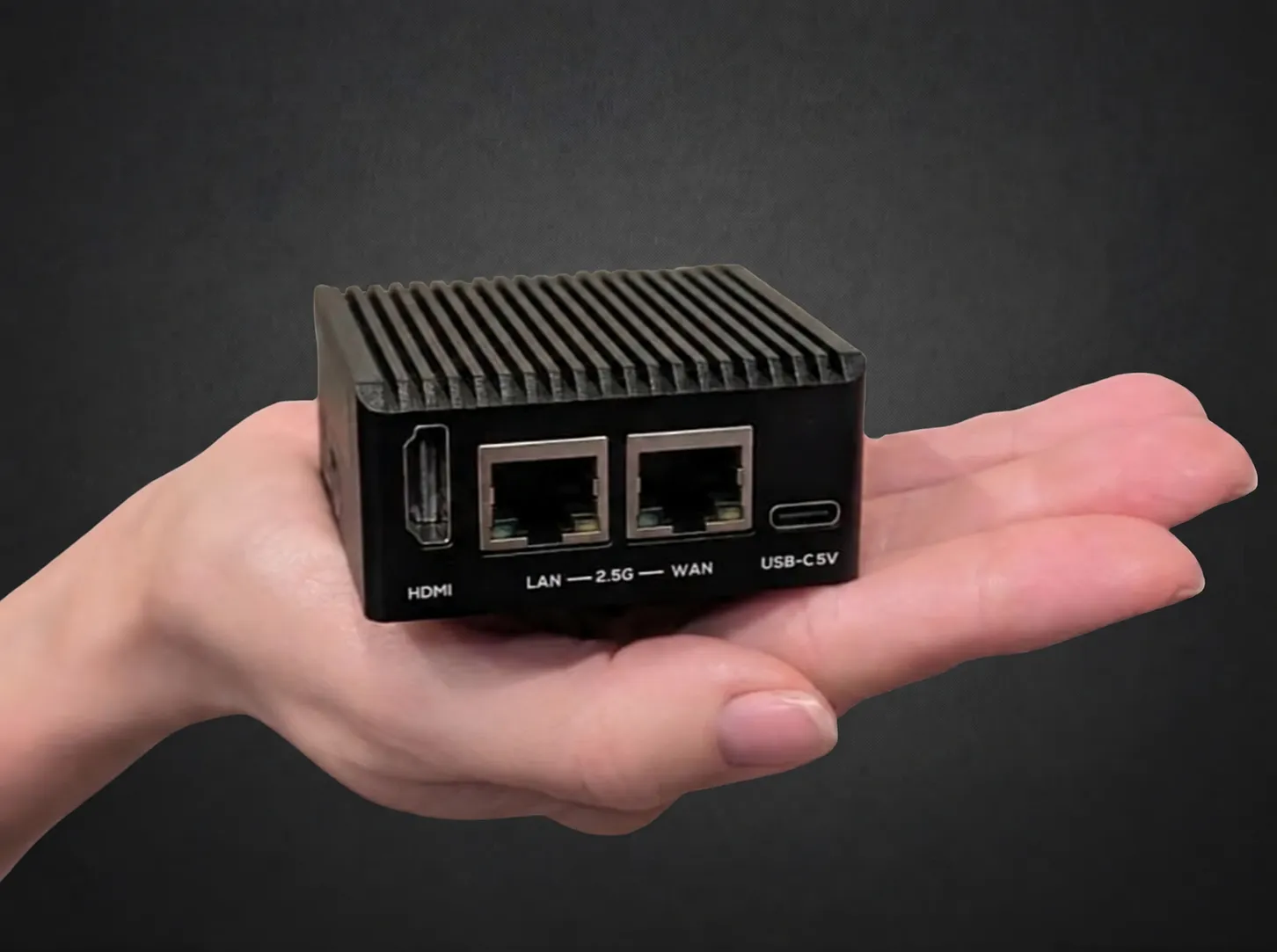
Behind that guest experience is a compact appliance with an important job: enforce the access your portal authorizes and account for the connection people use. At a remote hotel, those controls help you manage how guests, staff and training attendees share the same Starlink or satellite link.
A compact NetCollab appliance gives that connection a more useful role in your business. At a hotel, it can support different guest access plans. In a restaurant, access can follow a purchase. At a campsite, connectivity can become part of a reservation. In an office, access can reflect who is authorized to connect.
The appeal is practical: you decide who receives access, how fast it can be, how much data is available and how long it lasts. NetCollab brings those controls together through its guest Wi-Fi plans and tiers. Your venue's size, connection and network design determine the right deployment; the Xpresso and Pro comparison helps you assess the hardware.
Your own developers can build the portal, or our integration team can develop it with you. The business rules stay aligned with your venue while NetCollab handles access enforcement and accounting.
The same idea, beyond the hotel
An external portal can connect access to the moment that matters in your business. These are possible application ideas, not packaged integrations available today.
A café: a coffee and 30 minutes online
A customer buys a coffee on the café's portal. Once payment is verified, the application authorizes 30 minutes of Internet access. The offer connects Wi-Fi to the visit, with a clear duration. Explore guest access for cafés and restaurants.
A campsite: one reservation, up to four devices
A camper enters a reservation number, and the campsite application verifies the booking before authorizing access for up to four devices. A shared reservation device limit would need an explicitly designed entitlement policy; it is not implied by issuing four unrelated plans. This could complement connectivity management at remote venues.
A government office: a working day's access
An authorized employee signs in through the organization's directory, such as LDAP, and receives Internet access for 12 hours. The office application handles identity verification, and NetCollab applies the approved duration and network policy. Directory credentials remain in the organization's authentication system.
Let us build your portal and backend integration
The strongest portal starts with the service you want to offer: who qualifies, what they receive, when it ends and what happens next. Your application can make that service feel like your venue. NetCollab provides the network controls that give the offer substance.
Using Starlink for hotel Wi-Fi, or another satellite service at a remote venue? Start with your measured link capacity, busy-period demand and guest needs. Then define Standard and Gold benefits, event requirements, daily allowance rules and hosting preference with your developer and installer.
Interested? We can deliver NetCollab and develop your portal and integrations with your backend systems. Whether you need PMS-based guest access, automatic Gold benefits, Stripe or charge-to-room purchases, event vouchers or employee login, contact us to discuss the development and deployment your property needs.
Contact us to plan your NetCollab and custom portal project. Share your Starlink or satellite setup, expected users and existing business systems; we can define the scope, integration requirements and delivery plan with you.
Want to explore the platform first? See NetCollab's Guest Wi-Fi & Captive Portal capabilities.